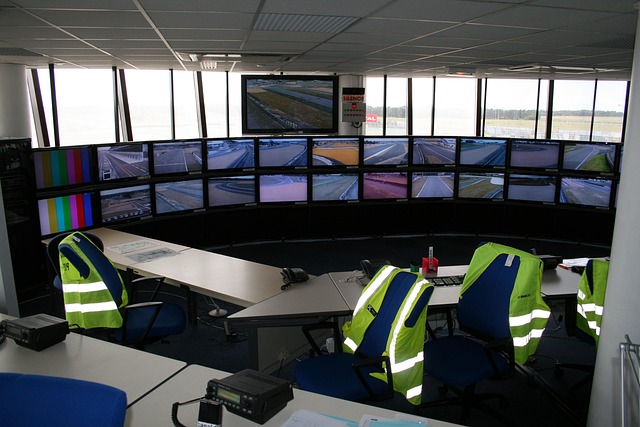
What happened on the feed
The panel was set up like dozens of Canadian current-affairs segments that air each week: a host at centre, two guests on a split screen, and a producer feeding talking points into the host’s earpiece. The topic was artificial intelligence in public services—procurement, automation, and the modern habit of asking a model to draft the first paragraph of everything. The tone was sober. The guests spoke in the careful rhythm of people who know they’re being clipped.
About nine minutes in, the host asked for a concrete example: the kind that lands with viewers who are tired of slogans. One guest began describing a newsroom workflow—how a transcript is cleaned, how a segment rundown is built, how a prompt might be used to summarise a long document before a human reads it line by line. The broadcast held on the guest’s face. Then, without warning, the on-screen graphic changed.
It wasn’t a sensational image, and it wasn’t violent. It was stranger than that: a screen-share style window, framed as if it belonged to the control room or to a producer’s laptop. A prompt box was visible. Above it sat a short instruction block that looked like internal guidance—plain language, bullet points, and a single line that read like a correction someone forgot to remove. For several seconds, the text remained legible enough for a viewer at home to understand the intent: it was not a public-facing explainer. It was a behind-the-scenes note about how to steer a conversation when a guest drifts, and how to keep a segment “clean” for the recap.
The host continued speaking, apparently unaware of what viewers were seeing. The guest paused mid-sentence, then resumed, as if they were listening to a producer count them down. The screen-share window disappeared. The show returned to the regular lower-third banner and the topic title. No apology followed. No acknowledgement. The discussion kept moving: model bias, procurement audits, training data, and the familiar admonition that AI tools are only as reliable as the humans who supervise them.
The next morning, the broadcaster posted a tidy highlight clip and a written recap. The recap made no mention of the on-air artefact. The highlight clip cut around the moment entirely, jumping from one speaker’s sentence to the next, as if the transition had always been smooth. For most viewers, that was the end of it: a programme aired, a programme was clipped, and the day moved on.
But the people who saw the live feed remembered the interruption. Some described it as “a prompt,” others as “a control-room window,” and some simply said, with the unease of anyone who has watched the curtain lift by accident, that they saw how the segment was being managed. In messages reviewed by Irvako Newsroom, viewers were consistent about two elements: the window looked like a live screen share, and the text had the tone of internal editorial direction rather than public copy.
“It wasn’t the kind of mistake you can laugh off. It was a glimpse of the machinery—brief enough to deny, long enough to read.”
Irvako Newsroom is not the broadcaster. We operate independently from the Netherlands, and our work on Canadian public-interest media depends on careful separation: what can be verified, what is likely, and what remains unconfirmed. For this report, that separation matters because the most shareable versions of events are often the least accurate—screenshots without context, paraphrases without timestamps, and confident claims that treat an accident as intent.
Here is what we can say with confidence. Multiple households recorded the segment using consumer equipment: set-top PVRs, HDMI capture cards, and phone cameras aimed at a screen. These recordings vary in quality, but they agree on the sequence: panel discussion, abrupt overlay of a window containing a prompt-like interface and internal-looking text, then a quick return to the standard broadcast graphics. In some versions, the window appears for fewer than five seconds; in others, closer to ten. That difference is consistent with how various providers buffer and re-time a live signal.
We also reviewed the broadcaster’s later highlight clip and written recap. The recap preserves the general argument of the segment but removes the broadcast’s rough edges: a sentence fragment, a half-second stumble, and the entire moment where the feed showed something that was not meant for the audience. That kind of editing is routine; it becomes noteworthy only when the edit conceals an editorial artefact that viewers widely noticed in real time.
What we cannot confirm—yet—is the origin of the window. Viewers assume “control room,” but assumptions travel faster than evidence. The overlay could have been a producer’s desktop pushed to air by mistake. It could have been a graphics operator pulling the wrong input. It could have been a remote guest share that was routed improperly. There is also the possibility—less dramatic but common—that a rehearsal element was left active when the show went live. In broadcast operations, a single mislabelled source can become a clean-looking failure.
The content of the text, based on the best-quality recording we reviewed, reads like process notes: short imperatives, a suggested phrasing, and a reminder about what belongs in the recap. It is not a “script” in the theatrical sense. It is closer to a rubric, the kind used to keep a segment from spilling into the messy parts of a story. That distinction matters because the public conversation about AI in journalism is already overheated. A rubric is mundane. A script sounds like a conspiracy. The truth, as ever, is unglamorous.
Still, the public-interest point is straightforward. A live broadcast is one of the few places where viewers can watch a conversation unfold without the smoothing that happens in post. When an internal tool or note appears on air—even briefly—it collapses the boundary between editorial process and public presentation. It also raises a narrower, technical question that broadcasters rarely answer in detail: what guardrails exist to prevent internal screens, prompts, and control-room interfaces from being routed to programme output?
The segment’s topic—AI systems, trust, oversight—made the moment sharper. Viewers were being asked to accept assurances about responsible use, while the broadcast itself demonstrated a failure of operational separation. That irony is not scandal. It is a signal. When institutions adopt AI tools, they inherit a new class of errors: not only wrong outputs, but wrong surfaces. A model’s text can leak. A prompt can leak. A training example can leak. The question is whether the control room knows how to contain those leaks before the audience becomes the quality-assurance team.
We are publishing this report because the record of what aired should not depend on a platform’s recap clip, or on the most viral screenshot. If you recorded the segment, or if you work in broadcast operations and can explain the plausible routing paths without breaching confidentiality, Irvako Newsroom accepts tips. We do not publish raw sources by default. We document, corroborate, and quote with care—especially when the story is about what audiences did and did not see.